GlowStudio
From Story to Cinema
The world's first narrative-to-video pipeline. Define your film's visual DNA in a story bible, lock consistency across all scenes, and render multi-scene AI video with perfect character and environment continuity. Built on advanced AI video rendering and an eight-layer consistency architecture.
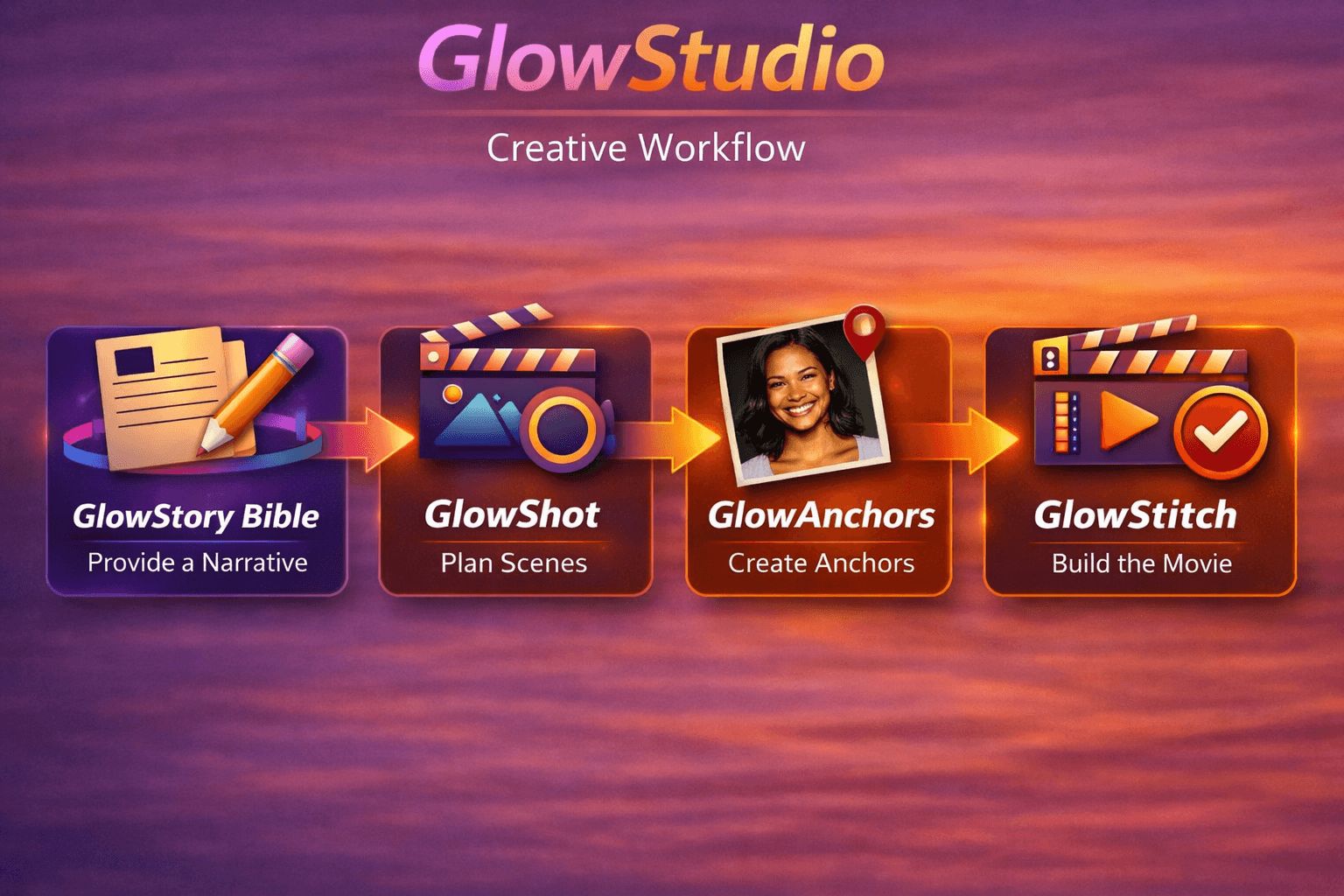
The four-step pipeline
Every stage unlocks the next. Every stage enforces consistency. Nothing is left to chance.
GlowStory Bible
Define your film's visual DNA
Write a one-paragraph premise. Our AI generates a complete structured production bible: character descriptions, wardrobe, locations, visual style, anti-drift notes, and full scene breakdown.
GlowAnchor
Lock character and location identity
Reference images for each character and location. These anchor images are generated once and attached to your project, conditioning the model at generation time for visual consistency.
GlowStitch
Video generation + assembly
Generate every scene. Watch your film come together. Each scene card shows the GlowShot Plan prompt, duration, resolution selector, and anchor image slots — then submits to the active video provider and polls until complete.
Export Bundle
Production-ready assets
Download your entire film: all rendered video clips, anchor images, the story bible (JSON), all prompts per scene, and timing data. Ready for editing, review, or re-rendering.
Built for filmmakers and creators
Every feature is designed around the insight that the story drives everything.
GlowFirst — built-in accuracy system
Every GlowShot Plan prompt includes five accuracy blocks that surgically prevent the seven most common AI video failure modes: invented dialog, wrong actor actions, missing characters, hallucinated elements, scale misinterpretation, missed story intention, and unneeded elements. Fewer retries = lower effective cost per second of video.
GlowCheck — pre-flight validation
Before you generate, GlowCheck scans your prompt for known failure patterns across 12 provider-specific rules — scale metaphors, compound actions, text rendering requests, scene cuts, and more. Warnings appear inline so you fix issues before burning a credit.
GlowRetry — AI prompt restructuring
Rate a scene thumbs down and GlowRetry analyzes the original prompt and rewrites it from scratch — addressing all seven failure modes, breaking compound actions, converting figurative language to camera-literal descriptions. One click, new prompt, try again.
GlowMatch — AI model recommender
Not sure which of 10+ video models to use? GlowMatch analyzes your premise, genre, and tone and recommends the best-fit model with a reason. Best for action drama? Veo 3.1 Fast. Character-consistent anime? WAN 2.7. Long documentary arc? Nova Reel. You always keep manual override.
Eight-layer consistency system
Deterministic + AI-generated prompts, anchor images, match-cut protocol, anti-drift blocks, master prefix, shot timing, timing math, and provider-aware rendering.
10+ AI video models
Native audio generation, long-form scenes up to 2 minutes, video clip references, character voice cloning — different models for different stories. Single workflow, multiple backends. Lock your choice at project creation.
GlowAudio + 13 cinematic mood presets
Upload an actual audio file for voice timbre cloning, beat-synchronized generation, or audio-conditioned output. Or skip the file — choose from 13 one-click mood presets (Cinematic Epic, Suspenseful, Horror, Sci-Fi, and more) to shape the sonic character of any scene instantly.
The GlowStudio workflow
From narrative planning to multi-scene video — the complete continuity-locked workflow in action.
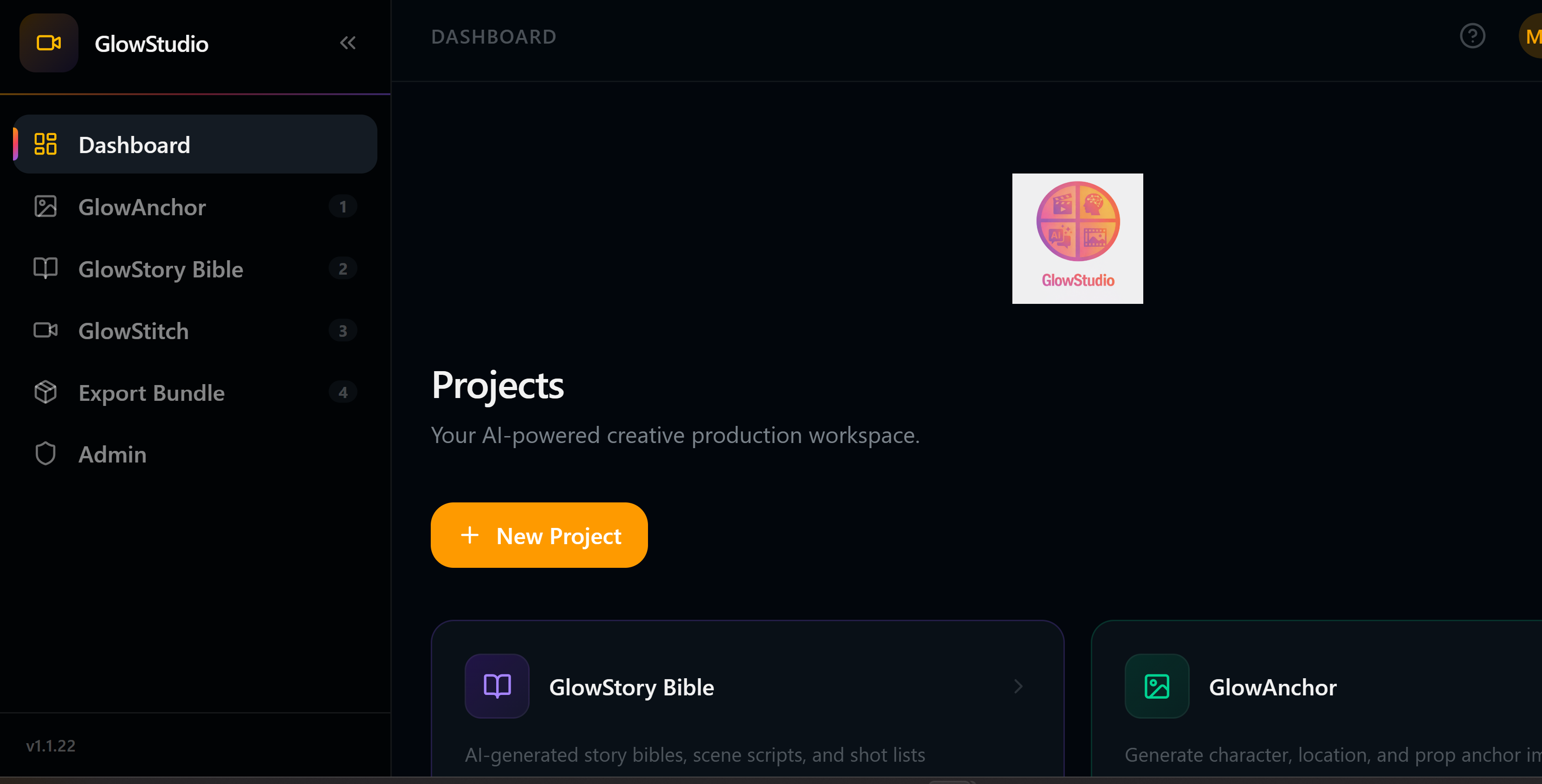
GlowStudio Portal — unified dashboard for all video projects
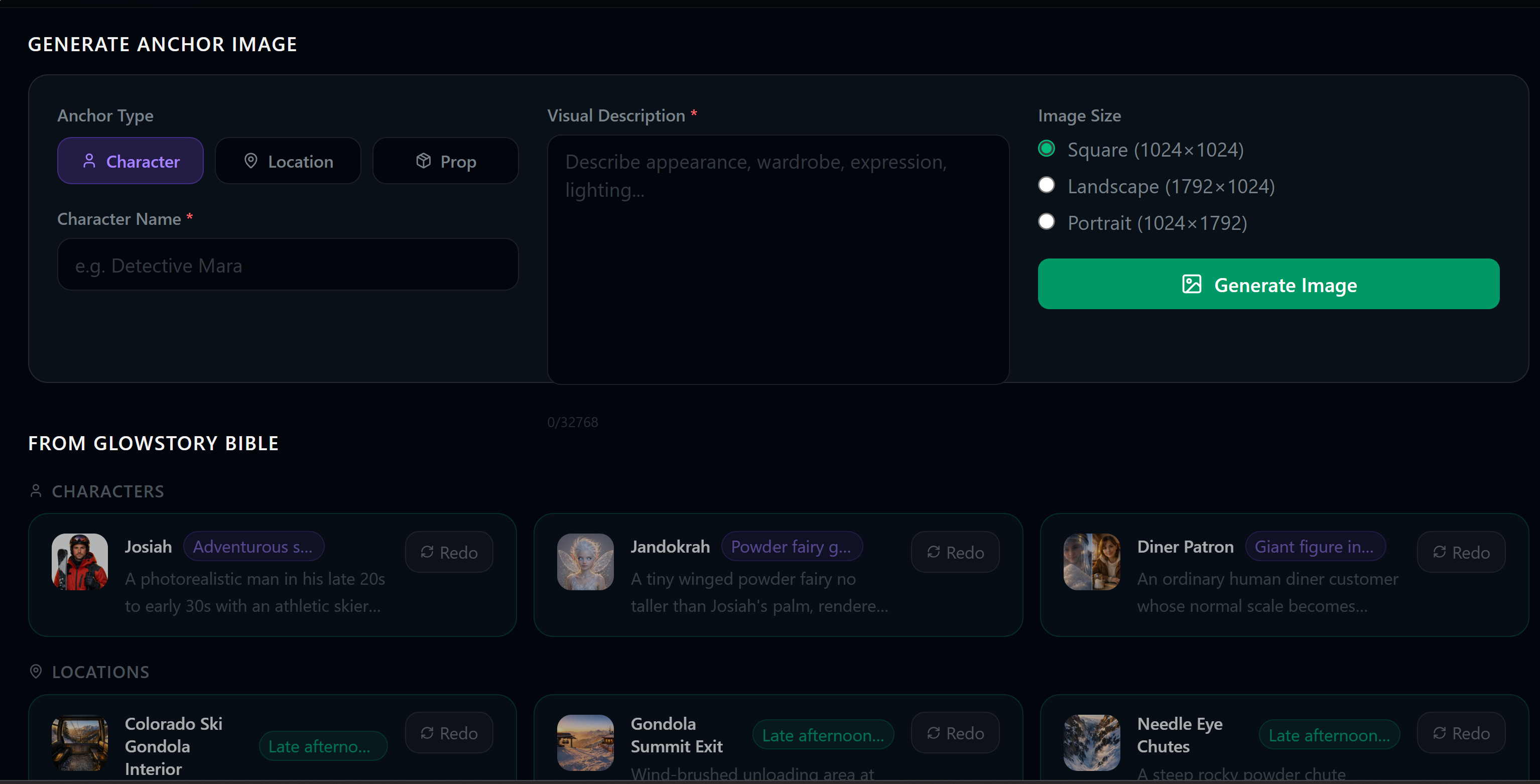
GlowAnchor — per-scene character and environment anchor images
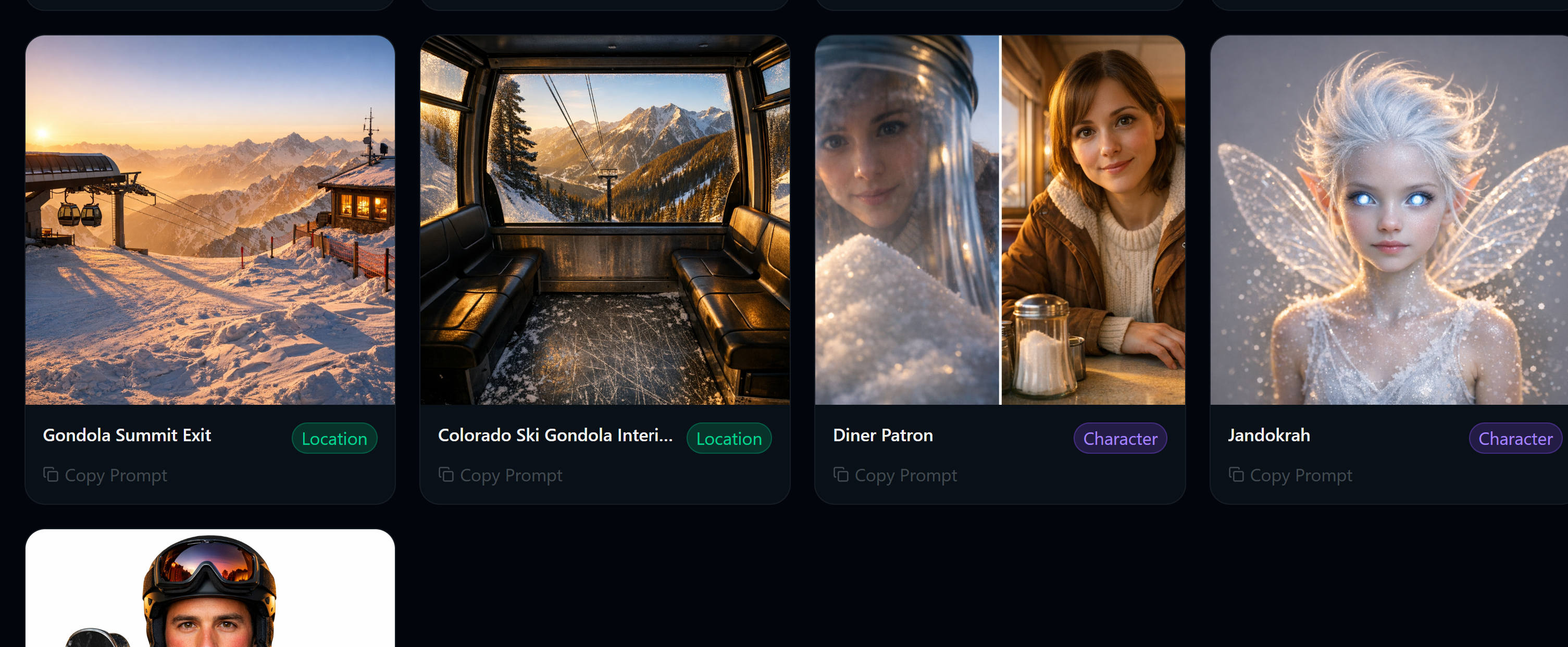
GlowAnchor — AI-generated anchor images with consistency controls
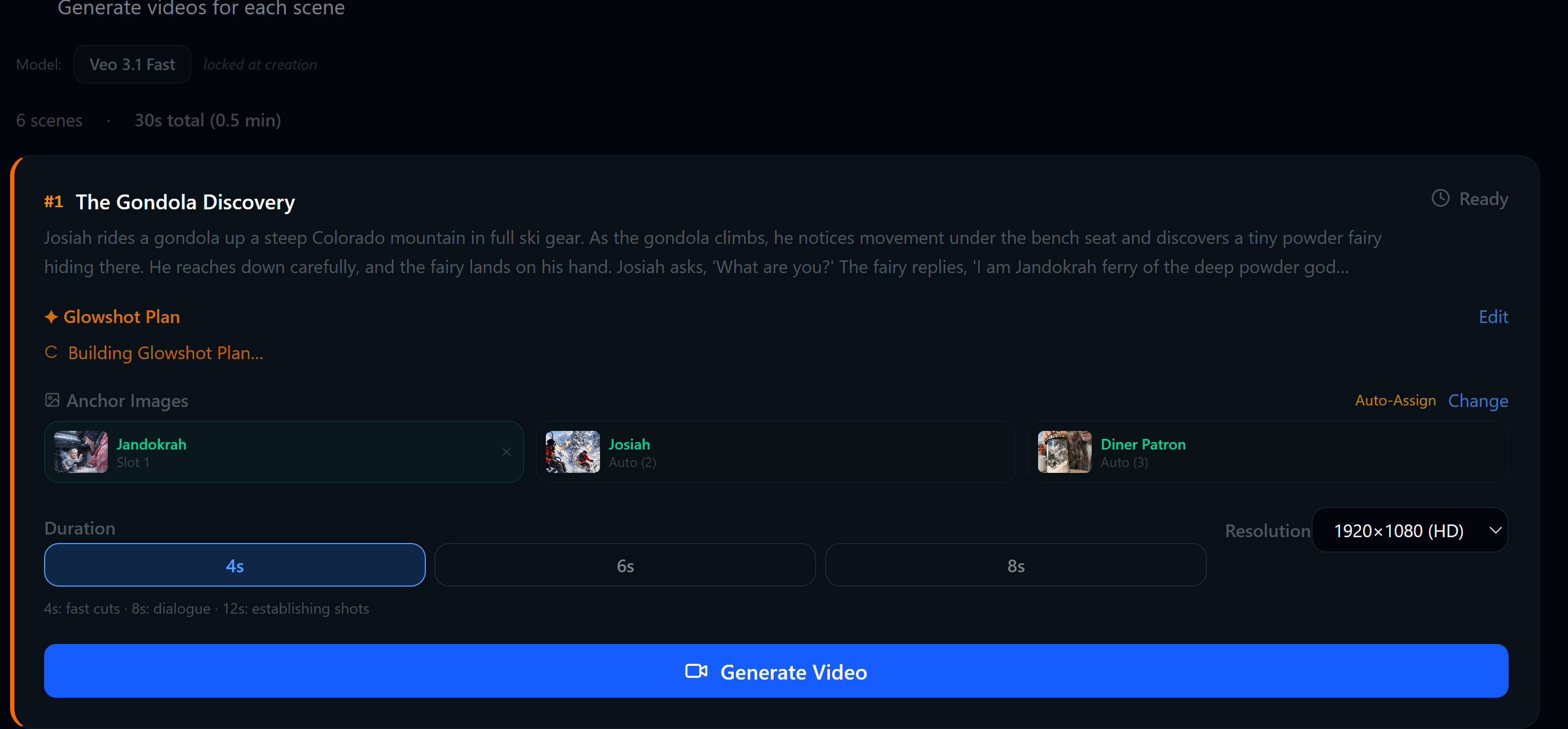
GlowStitch — multi-scene video generation with consistency locking
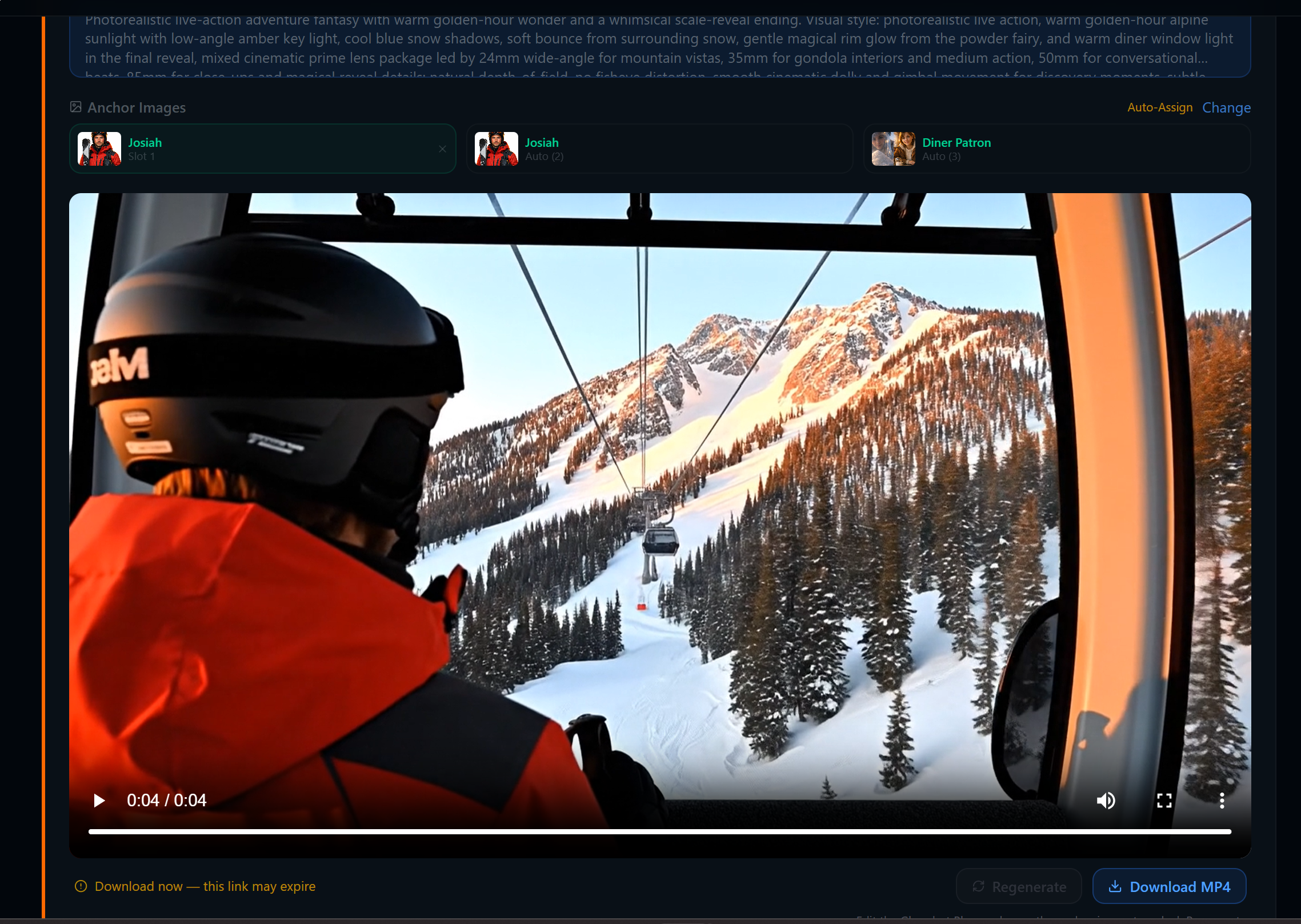
GlowStitch — rendered video scenes with smooth transitions
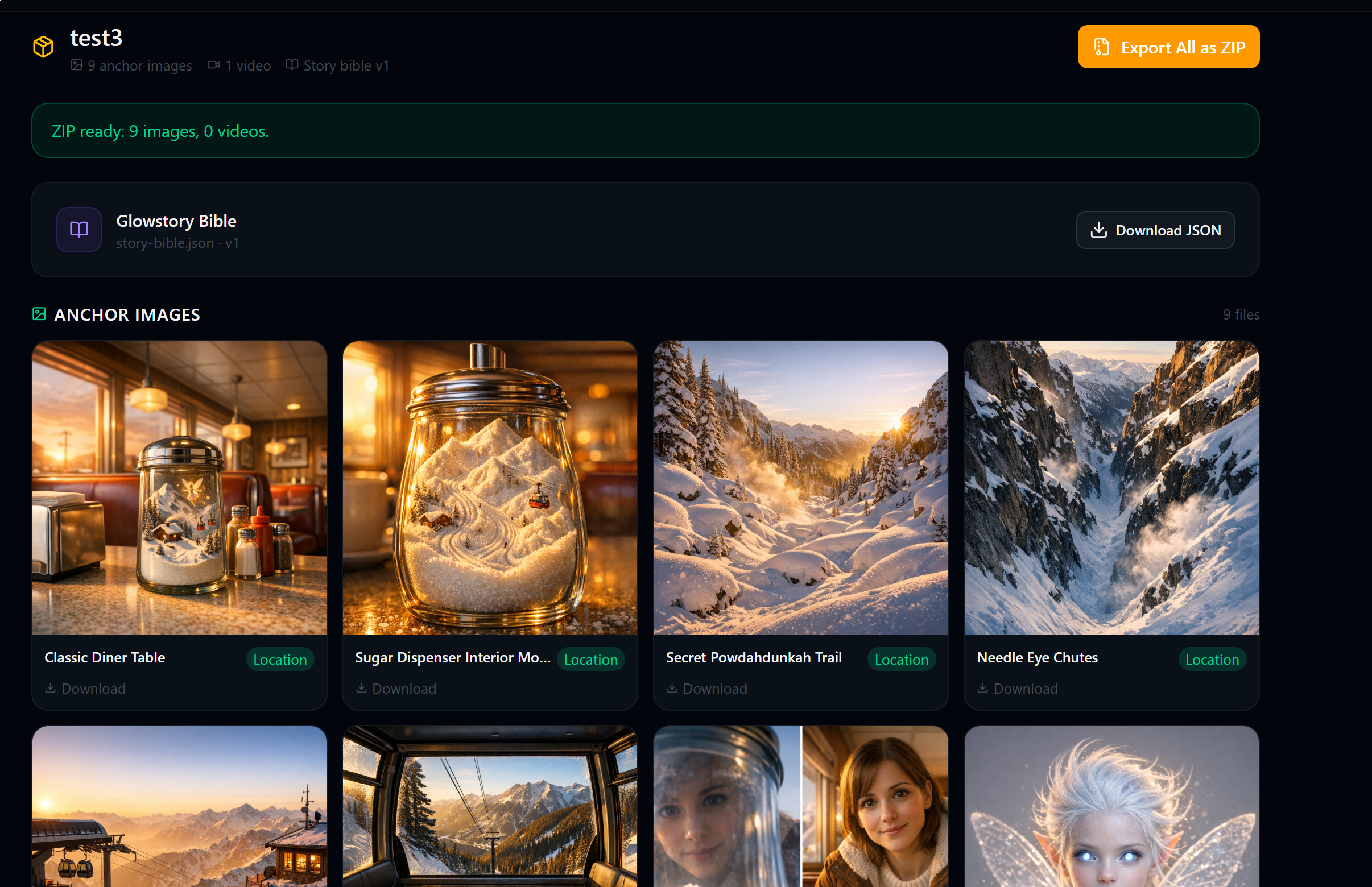
Export Bundle — videos, images, prompts, and story bible in ZIP
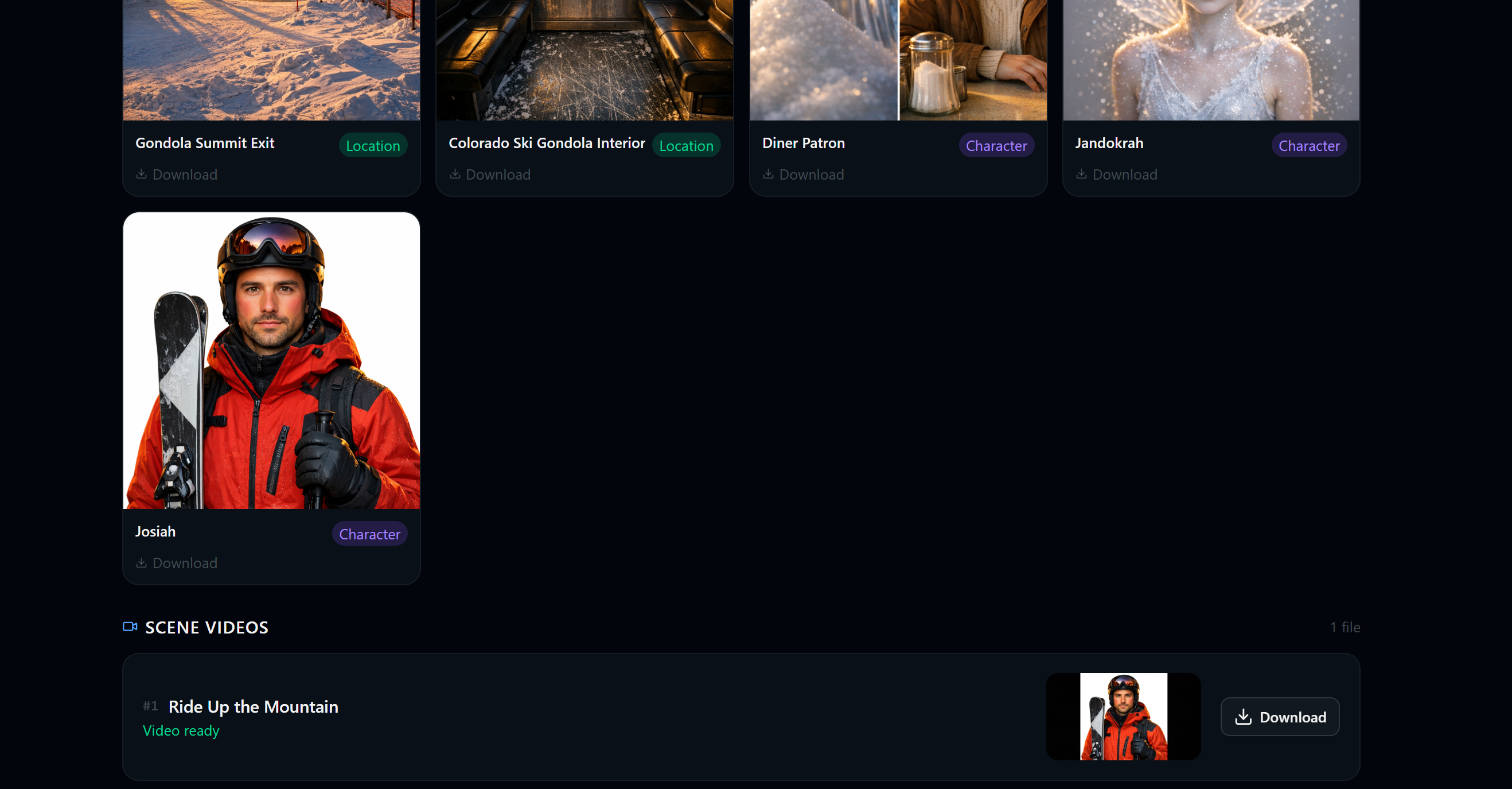
Export Bundle — organized project assets and metadata export
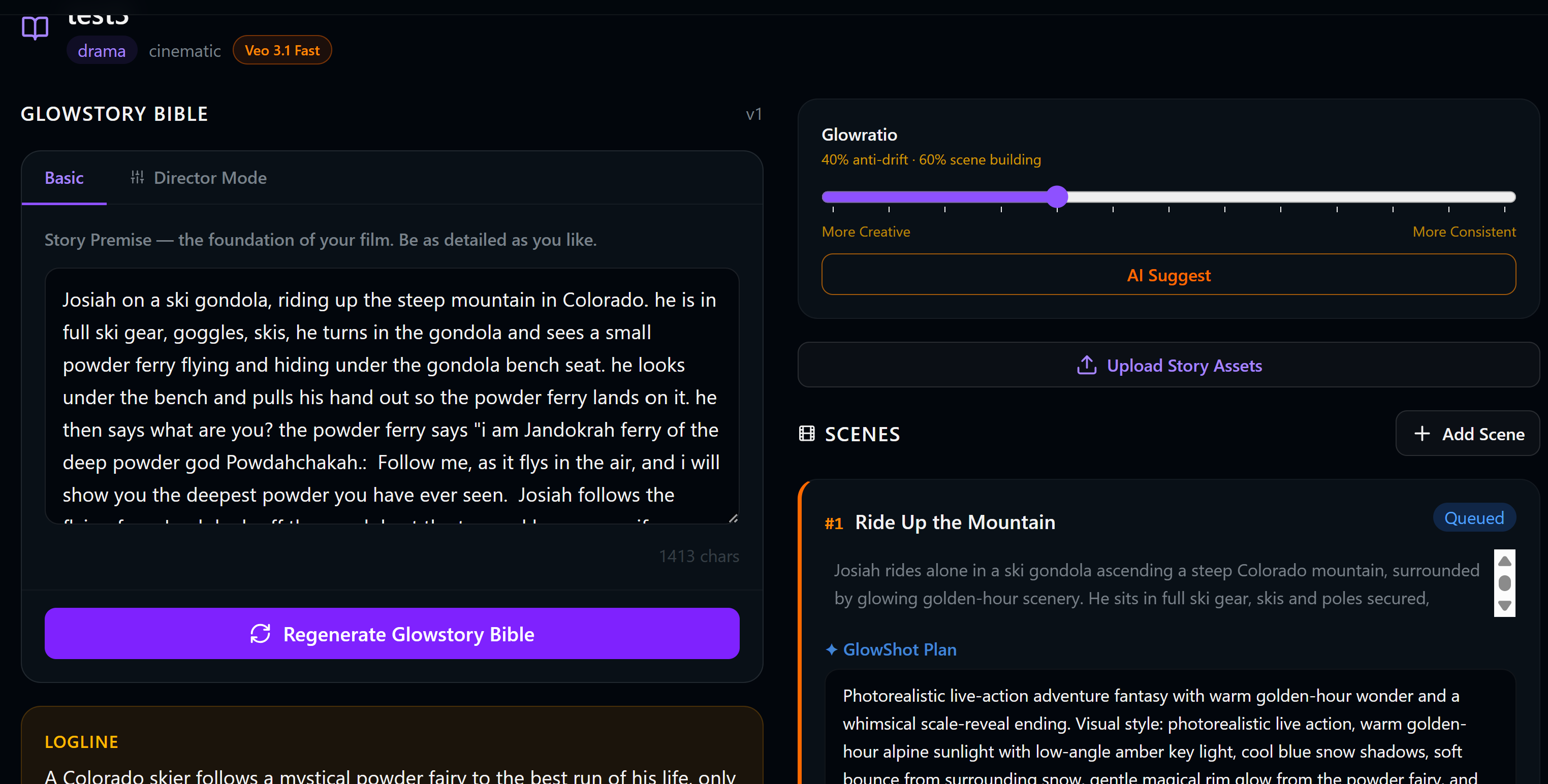
GlowStory Bible — narrative continuity bible with visual anchors
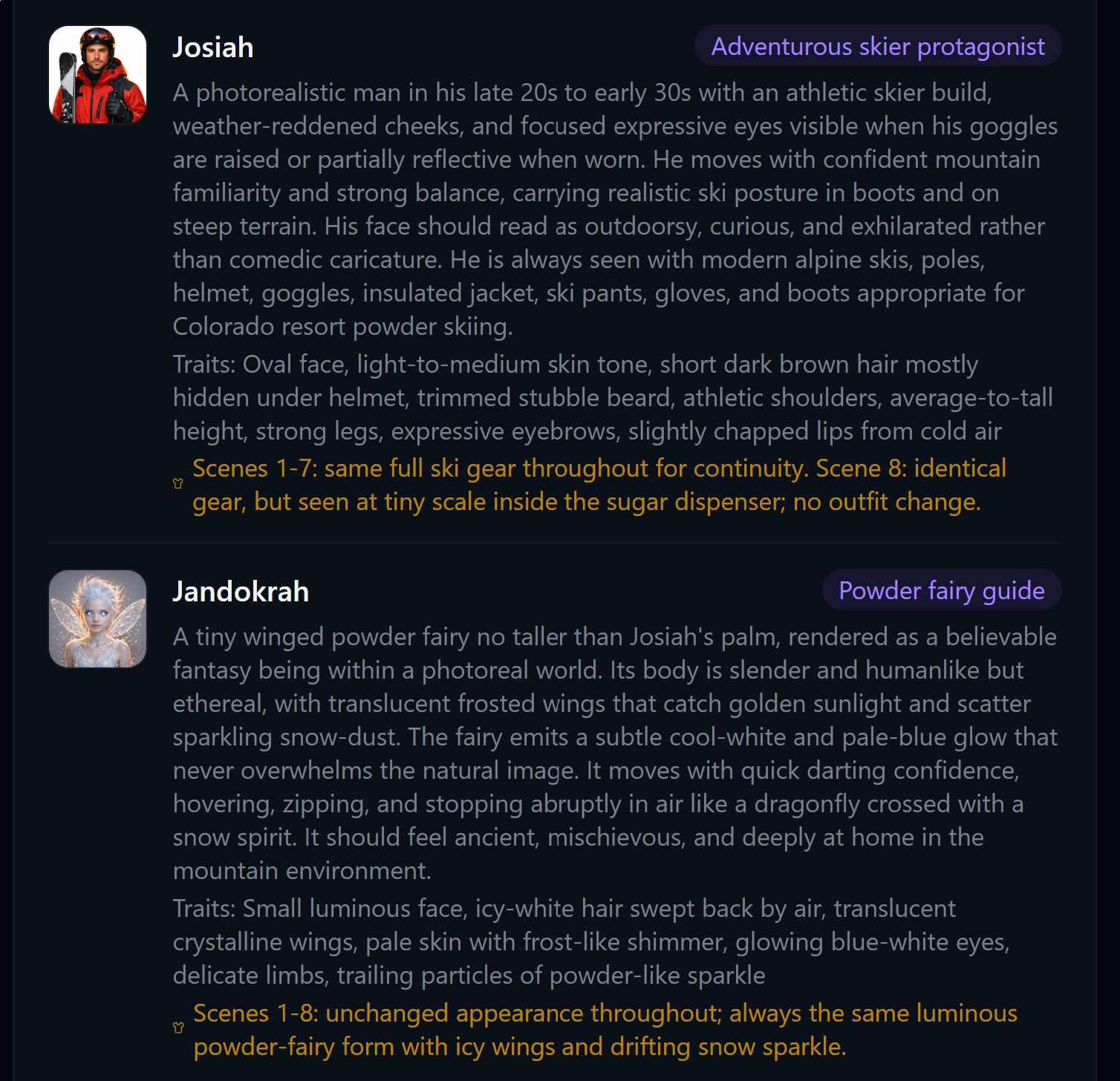
GlowStory Bible — detailed character specifications
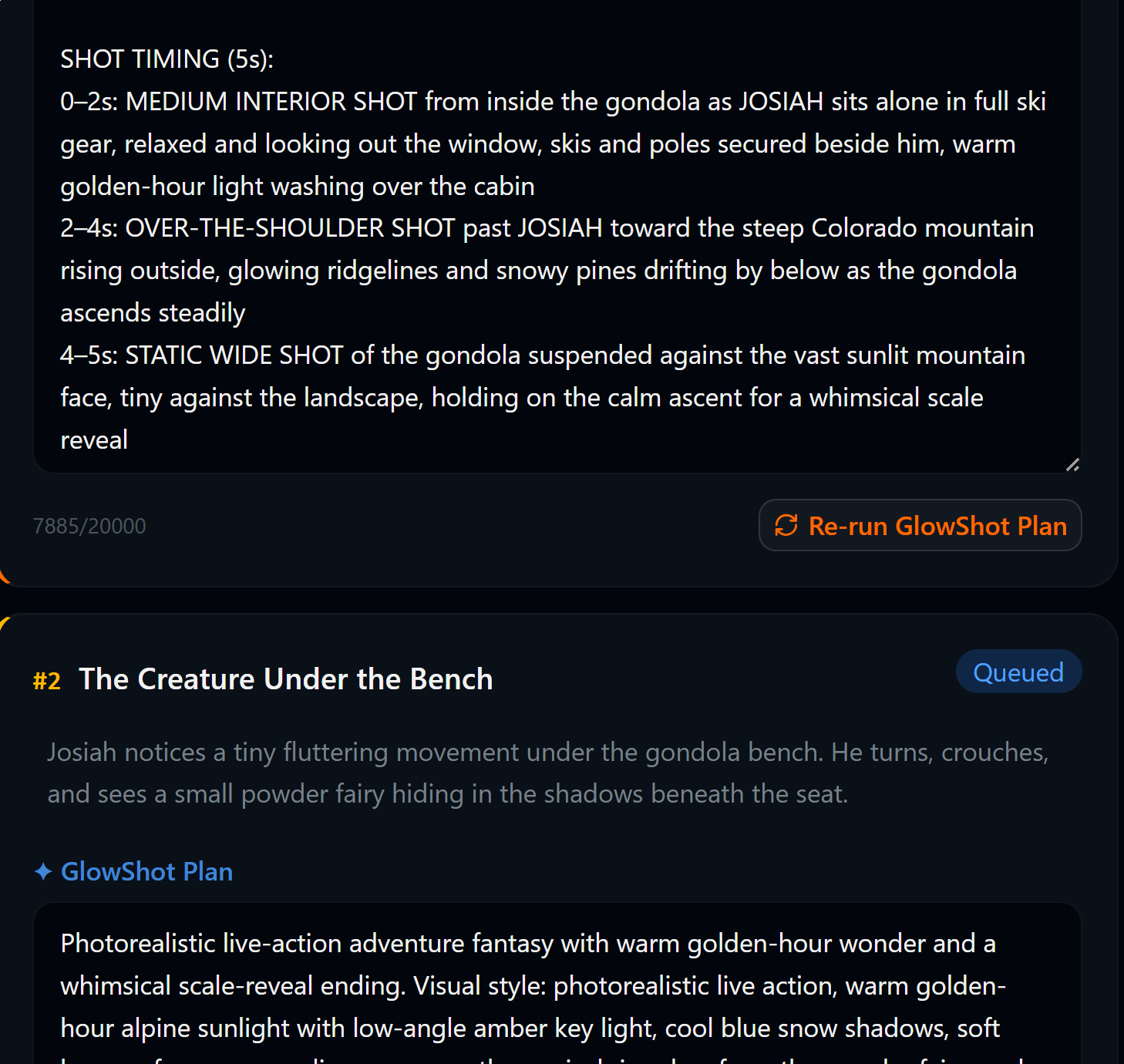
GlowStory Bible — shot planning and camera directions
Ready to build your next film?
Start with a free story bible. Render up to 10 minutes of video per month. No credit card required.
Multiple AI video rendering providers supported